Tampilkan postingan dengan label EMULATOR. Tampilkan semua postingan

Jumat, 11 Oktober 2013

Visual Boy Advance 1.7 Gameboy Emulator Download


Free full setting VBA 1.7:
>>DOWNLOAD

Download another emulator here


How to Download via tusfiles


ººººº▌^^___PLEASE ENJOY___^^▌ººººº

Senin, 19 Agustus 2013

Free Pcsx2 Download + Plugins + Bios + setting tutorial


Download:
-Pcsx2
-Bios
-Plugins

1. Download Pcsx2
2. Download Bios & Plugins
3. Put all in 1 folder
4. Open Pcsx2.exe

SETTING for fastest possible:
firstly set plugins and bios directory, just select ps2 folder and select folder plugins, and bios.
then follow image:


How to Download via tusfiles


ººººº▌^^___PLEASE ENJOY___^^▌ººººº

Free Download ePSXe 1.8.0 download full


Free download enhanced PSX emulator 1.7.0 full pugins:
DOWNLOAD via tusfiles


How to Download via tusfiles
How to configure it??

1. first time you run it, it will bring you to wizard guide for configuration (if not, select confg > wizard guide)

2. click config

3. you will be asked to configuring the bios > choose scph1001-USA > next

4. you will be asked to configuring the video > choose P.E.Op.S. soft driver 1.16 > click config > select nice(need fast CPU)/fast(if your CPU is slow) for auto configure > ok > next

5. for this just click next > next > next 'till you reach finish


How to play a game??


of course you must have the game file (.iso, .img, .bin,.ccd). you can also download PSX game in this blog, i have some. try this harvest moon: back to nature

if you have the game, to play it select Run > Iso > choose your game that have .iso , .bin, .ccd or .img.

you are done.


ººººº▌^^___PLEASE ENJOY___^^▌ººººº

Selasa, 23 November 2010

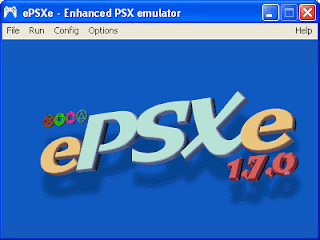
Free Download ePSXe 1.7.0 download full


Free download enhanced PSX emulator 1.7.0 full pugins ;

>>DOWNLOAD via tusfiles
>>DOWNLOAD via ziddu

OR
Download ePSXe 1.8 (you can use plugins from ePSXe 1.7.0 (earlier version))
want to play PS2 on computer?
Download PS2 emulator

How to configure it??

1. first time you run it, it will bring you to wizard guide for configuration (if not, select confg > wizard guide)

2. click config

3. you will be asked to configuring the bios > choose scph1001-USA > next

4. you will be asked to configuring the video > choose P.E.Op.S. soft driver 1.16 > click config > select nice(need fast CPU)/fast(if your CPU is slow) for auto configure > ok > next

5. for this just click next > next > next 'till you reach finish


How to play a game??


of course you must have the game file (.iso, .img, .bin,.ccd). you can also download PSX game in this blog, i have some. try this harvest moon: back to nature

if you have the game, to play it select Run > Iso > choose your game that have .iso , .bin, .ccd or .img.

you are done.

How to Download via tusfiles


ººººº▌^^___PLEASE ENJOY___^^▌ººººº